Ad Manager now brings
Meta’s post-publish recommendations directly into published campaigns
, helping users identify and act on optimization opportunities without switching to Meta Ads Manager.What’s New?
Once a Meta campaign is published, users can now:
- View Meta-generated recommendationsdirectly from the campaign Review screen.
- See the number of available recommendationsat a glance.
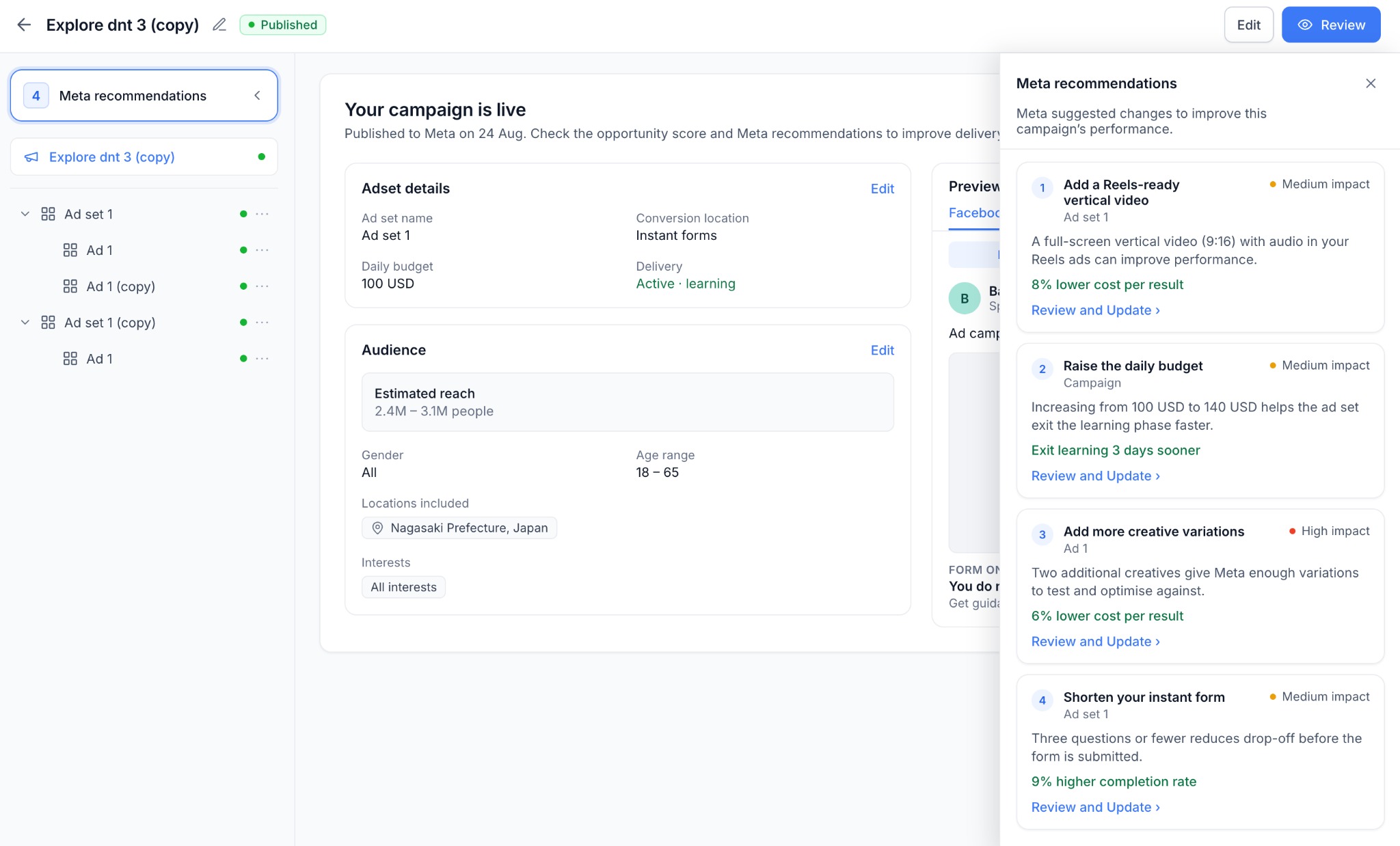
- Understand the suggested change, affected campaign element, and expected performance improvement, when provided by Meta.
- See the recommendation's impact level- High, Medium, or Low.
- Click Review and Updateto navigate directly to the relevant section of the campaign and make the suggested change.
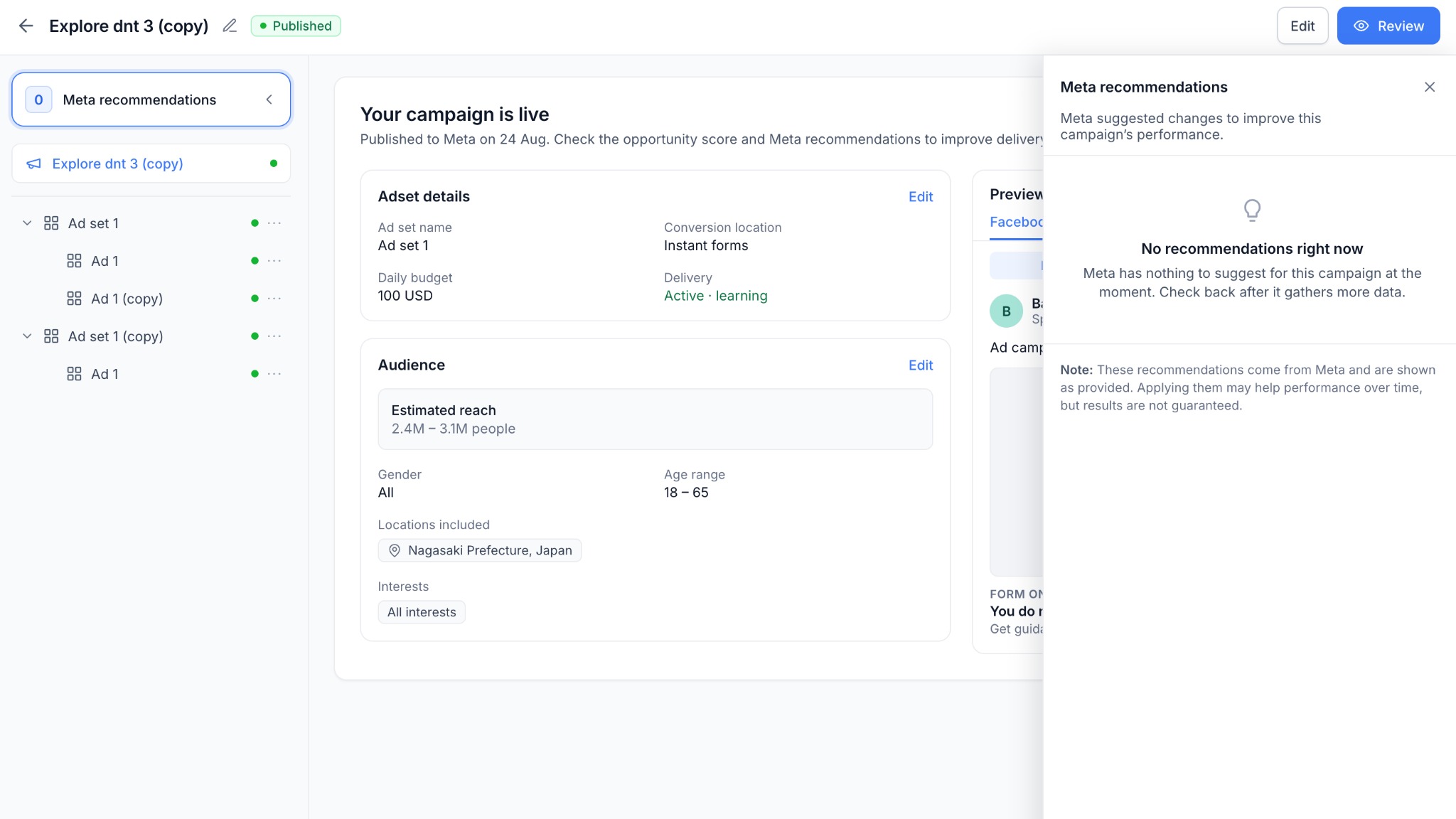
- See a clear “No recommendations right now” state when Meta has no suggestions for the campaign.
How to Use?
- Open a published Meta campaignin Ad Manager.
- Go to the Reviewscreen.
- Select Meta recommendationsfrom top left button to view available suggestions.
- Click Review and Updateon a recommendation.
- Make the suggested change within the relevant campaign section.
Why This Feature?
- Campaign optimization continues after publishing. By bringing Meta’s recommendations directly into Ad Manager, users can quickly identify potential improvements and take action without moving between Ad Manager and Meta Ads Manager.
What’s Next?
- We plan to further unify pre- and post-publish optimization by showing Opportunity Score alongside Meta recommendationsfor published campaigns, creating a continuous optimization experience throughout the campaign lifecycle.
Notes
- Recommendations and expected outcomes are provided by Metaand may change as campaign performance data evolves. Applying a recommendation does not guarantee improved results.
- Only recommendations that can be addressed directly within Ad Manager are surfaced.
Was this article helpful?
That’s Great!
Thank you for your feedback
Sorry! We couldn't be helpful
Thank you for your feedback
Feedback sent
We appreciate your effort and will try to fix the article